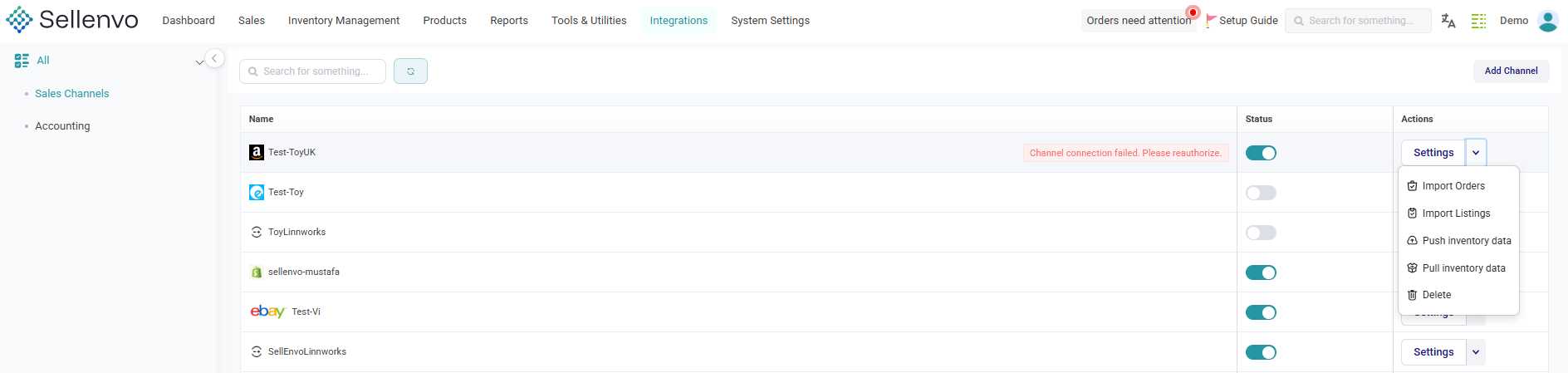
Once a sales channel is successfully connected to SellEnvo, you can customize its settings to control how data is synchronized and managed.
Proper configuration ensures accurate inventory updates, smooth order imports, and consistent pricing across all connected platforms.
Accessing Channel Settings
To manage a connected channel:
- Go to Integrations
- Select Sales Channels
- Click on the connected channel you want to manage
- Open the Settings panel
Available Settings
Depending on the channel, you may be able to configure:
Inventory Synchronization
Control how stock levels are updated between SellEnvo and the channel.
Order Import Settings
Define how and when orders are pulled into SellEnvo.
Pricing Rules
Set pricing adjustments or rules specific to the channel.
Warehouse Mapping
Assign which warehouse inventory should be used for that channel.
Status Mapping
Match channel order statuses with SellEnvo statuses to keep workflows consistent.
Managing Channel Activity
You can also:
- Enable or disable the channel
- Reconnect if the connection expires
- Monitor connection status
- Remove the integration if needed
Important Notes
- Always ensure your API credentials are valid.
- Review synchronization settings before going live.
- If issues occur, reconnect the channel or contact support.