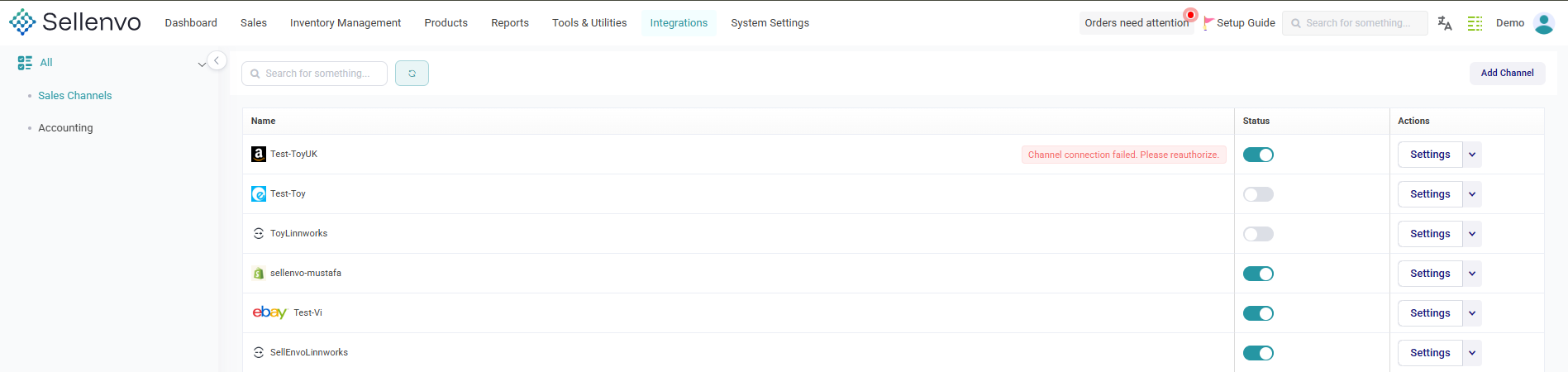
The Integrations menu in SellEnvo gives you full control over all connected platforms and external systems linked to your account. From here, you can add new channels, manage existing integrations, and monitor connection status.
How to Access the Integrations Menu
Follow these steps:
- Log in to your SellEnvo account.
- From the top navigation bar, click on Integrations.
- You will be redirected to the Integrations dashboard.

What You’ll See Inside
Inside the Integrations section, you can:
- View available integration categories (Sales Channels, Accounting, Shipping, etc.)
- See already connected channels
- Add new channel integrations
- Manage and adjust existing channel settings
Use this section whenever you need to connect a new platform or update your integration configurations.