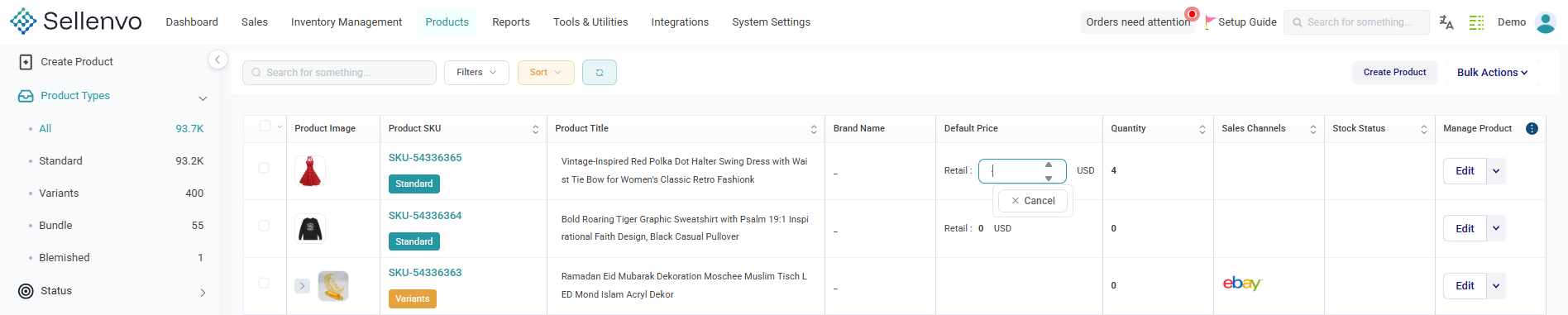
The Product Catalog is the central place where all products created in SellEnvo are displayed and managed.
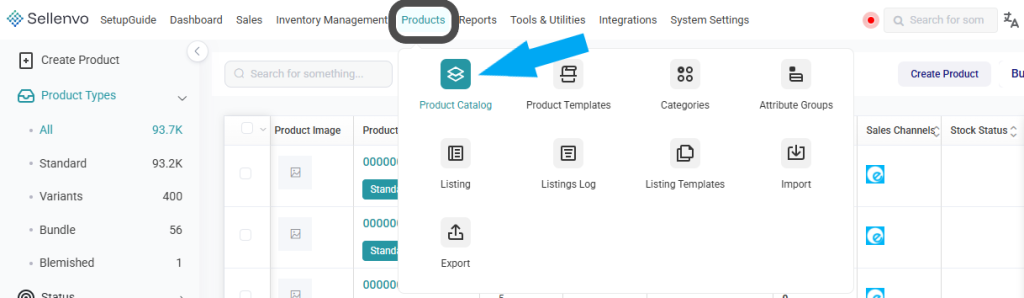
To access the Product Catalog:
From the top navigation menu, click Products.
Select Product Catalog from the dropdown.
You will be redirected to the main product grid.
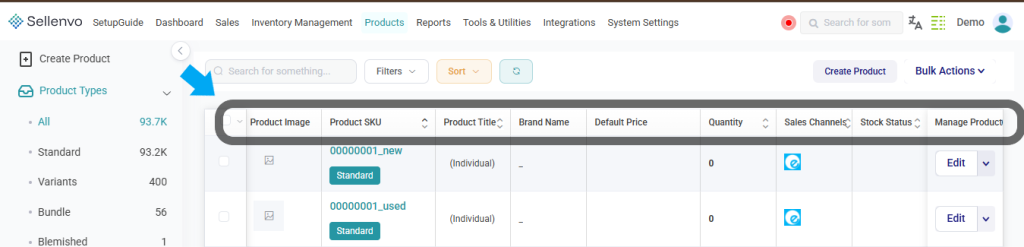
Understanding the Product Grid
Each row in the Product Catalog represents a single product and includes key information such as:
- Product Image – The main image assigned to the product.
- SKU – The unique product identifier.
- Product Type – Indicates whether the product is Standard, Variant, Bundle, etc.
- Product Title – The name of the product.
- Brand Name – Associated brand (if available).
- Default Price – The base selling price.
- Quantity – The current available stock quantity for the product.
- Sales Channels – Channels where the product is listed.
- Stock Status – Availability status (In Stock, Out of Stock, etc.).
- Manage Product – Edit and access additional actions via the dropdown menu.
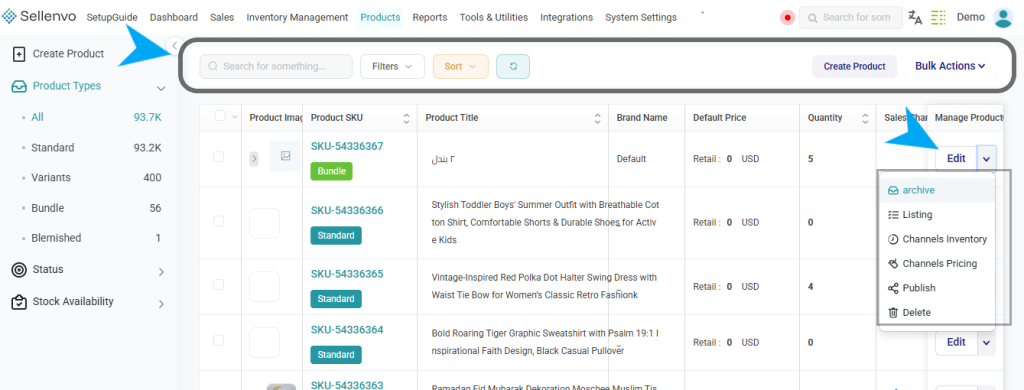
What You Can Do from the Product Catalog
From this page, you can:
- Search and filter products
- Sort products
- Create new products
- Edit product details
- Archive or delete products
- Manage channel inventory and pricing
- Perform bulk actions on multiple products
The Product Catalog serves as the foundation for managing your inventory and keeping your product data accurate and organized.
Quick Inline Editing (New Feature)
You can now update certain product values directly from the Product Catalog without opening the product details page.
These quick actions help you manage product data faster from the main catalog view.
- Edit Title: Click on the product title to edit it directly.
- Edit Price: Click on the price field to update it instantly.
- Update Quantity: Click on the quantity field to update stock instantly.