

Creating a product in SellEnvo allows you to add new items to your product catalog so they can be managed, listed on sales channels, and tracked in inventory.
Follow the steps below to create a new product.
Step 1: Open the Products Section
- From the main navigation bar, click Products.
- The Product Catalog page will open, displaying the list of all products in your account.
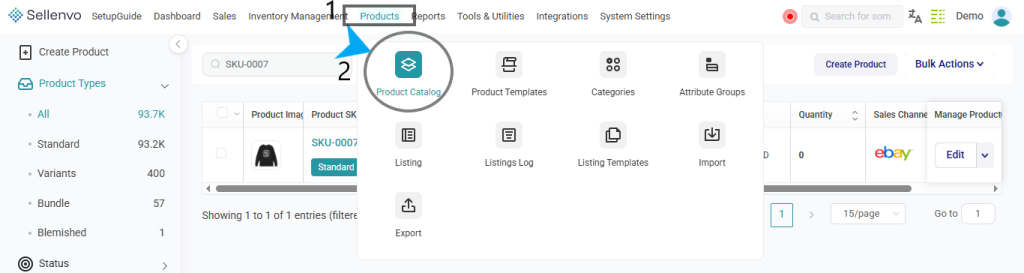
From this page you can search, filter, sort, and manage existing products.
Step 2: Click “Create Product”
At the top right corner of the page, click the Create Product button.

This will open the product creation setup where you can define the type of product you want to add.
Step 3: Select the Product Type
After clicking Create Product, you will be asked to choose the Product Type.
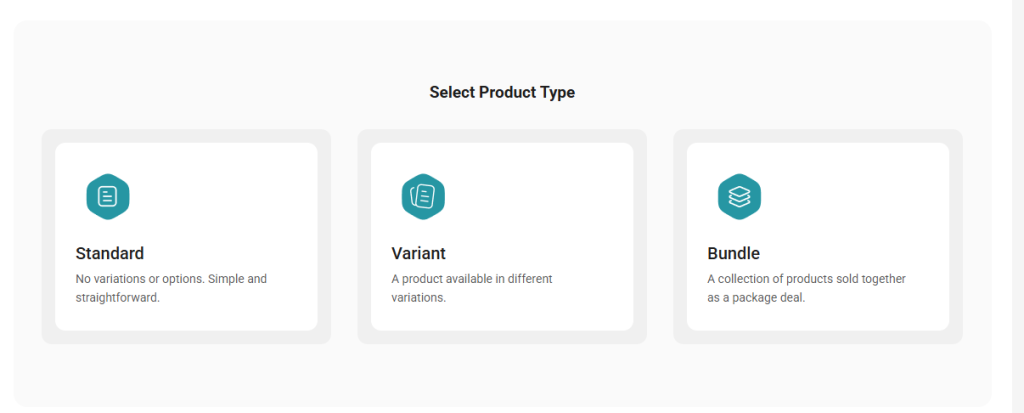
SellEnvo supports three product types:
Standard
A single product with no variations.
Example:
- A book
- A phone case
- A single kitchen item
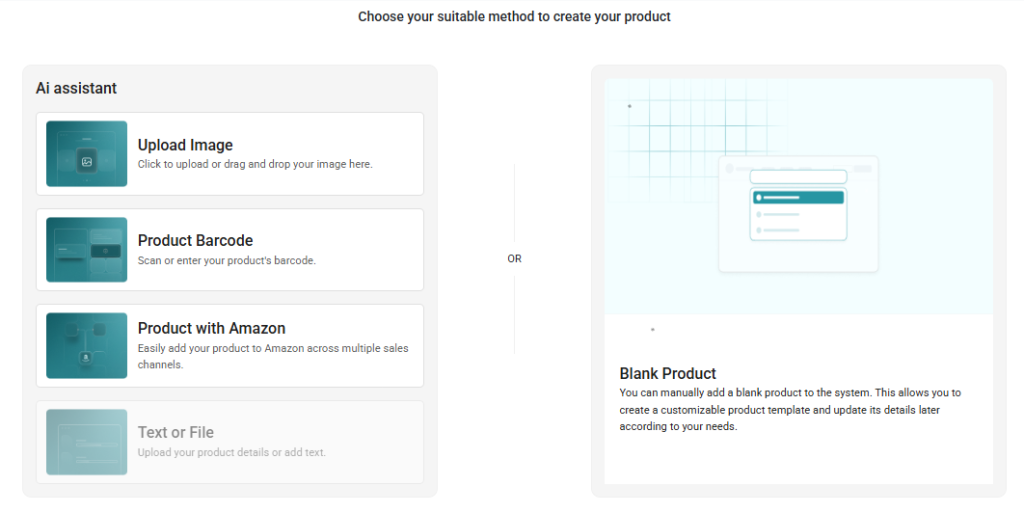
This option is used when the product does not have multiple versions.
Variant
A product with multiple variations such as:
- Size
- Color
- Material
- Style
Example:
- A T-shirt available in Small, Medium, and Large
- Shoes available in different sizes and colors
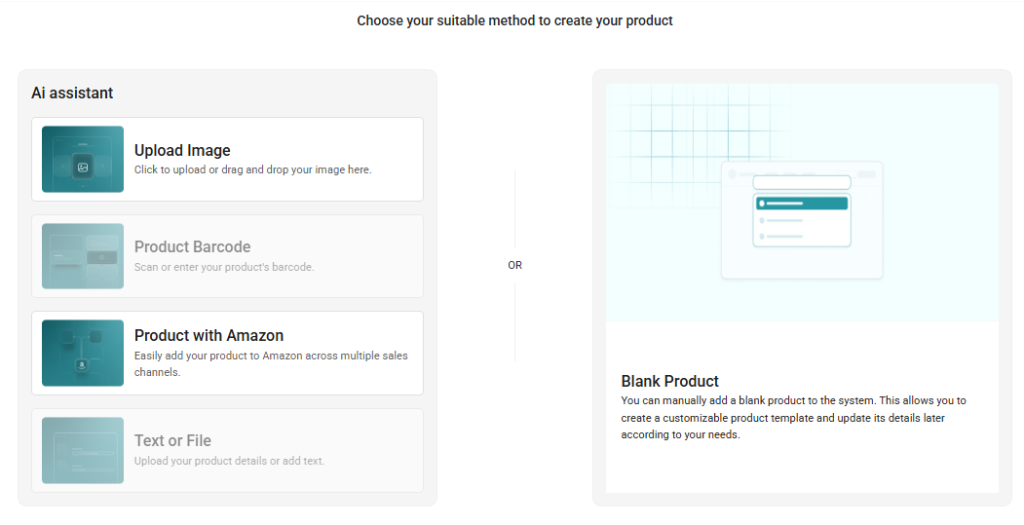
Variants allow you to manage all options of the same product under one parent product.
Bundle
A group of multiple products sold together as one package.
Example:
- Gift sets
- Starter kits
- Product bundles for promotions
Bundles allow multiple items to be combined and sold as a single product.
Step 4: Continue to Product Setup
After selecting the product type, SellEnvo will open the Product Details page, where you can enter information such as:
- Product Title
- SKU
- Barcode
- Brand
- Description
- Images
- Categories
- Pricing
- Inventory
- Sales Channel Listings
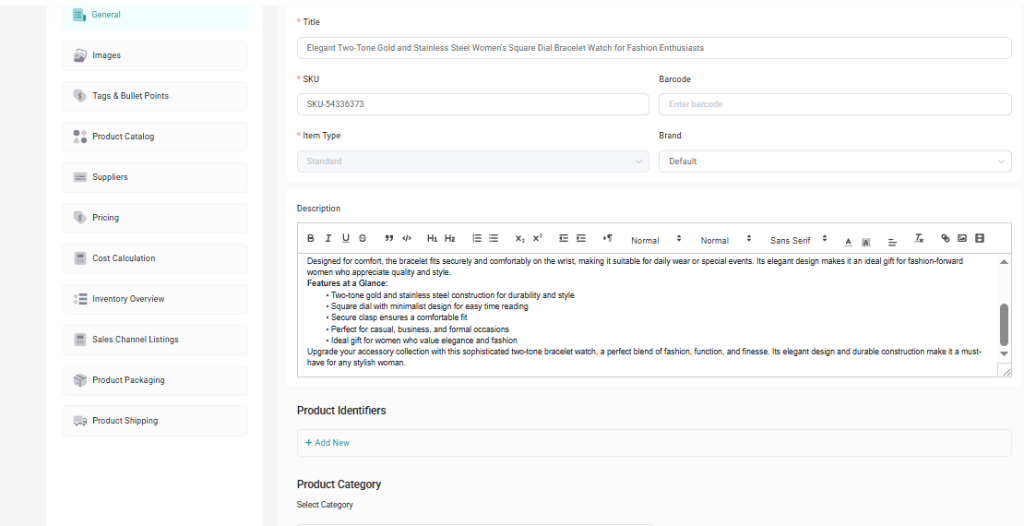
You can then save and publish the product once all required details are completed.
Next Steps
Continue with the appropriate guide depending on the product type you selected:
- Adding a Standard Product
- Adding a Variant Product
- Adding a Bundle Product
Each guide explains the fields and setup required for that specific product type.

