You can update product information at any time from the Product Catalog. Editing a product allows you to modify details such as the product title, SKU, description, images, attributes, pricing, and more.
Accessing the Edit Page
To edit a product:
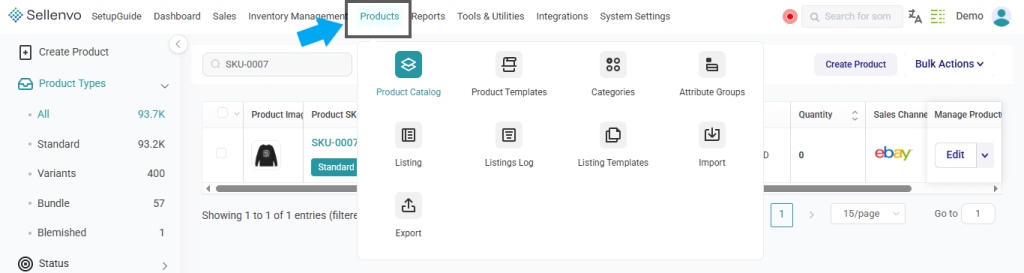
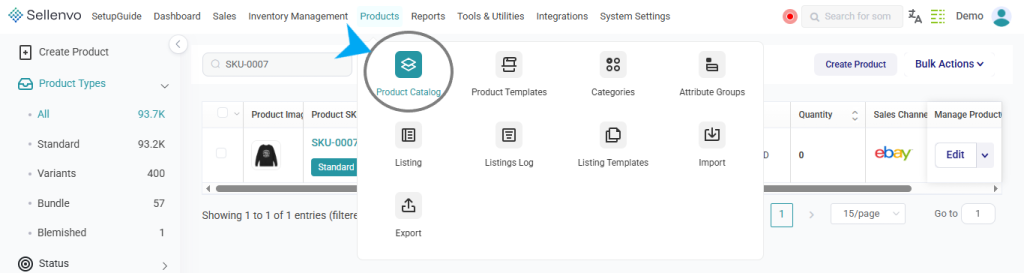


You will be redirected to the Product Details page where you can update the product information.
Navigating the Product Editing Page
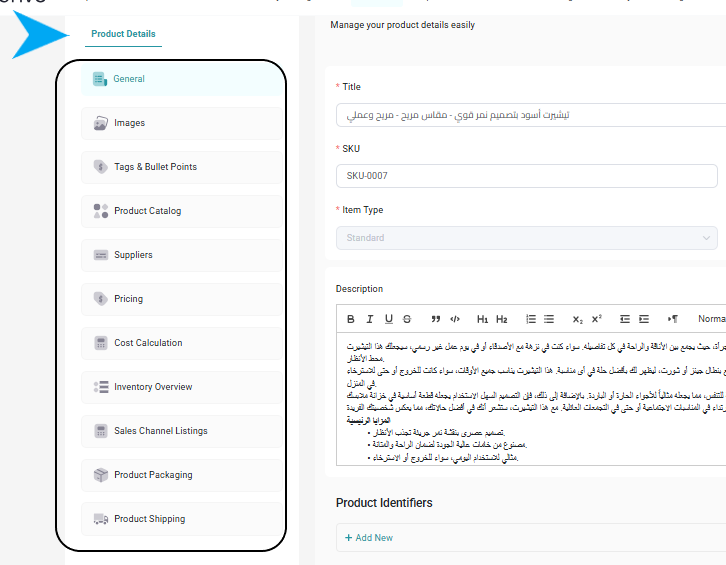
The product editing page is organized into multiple sections that allow you to manage different parts of the product.
The left panel includes sections such as:
- General – Edit the product title, SKU, barcode, item type, and brand.
- Images – Upload or manage product images.
- Tags & Bullet Points – Add product tags or key selling points.
- Product Catalog – Configure catalog-related settings.
- Variants – Manage product variations.
- Suppliers – Assign suppliers to the product.
- Cost Calculation – Manage product cost calculations.
- Sales Channel Listings – View and manage channel listings.
- Product Packaging – Configure packaging details.
- Product Shipping – Define shipping-related settings.
Editing Product Information
In the General section, you can update the main product details, including:
- Title
- SKU
- Barcode
- Item Type
- Brand
- Product Description
- Product Identifiers
- Product Category
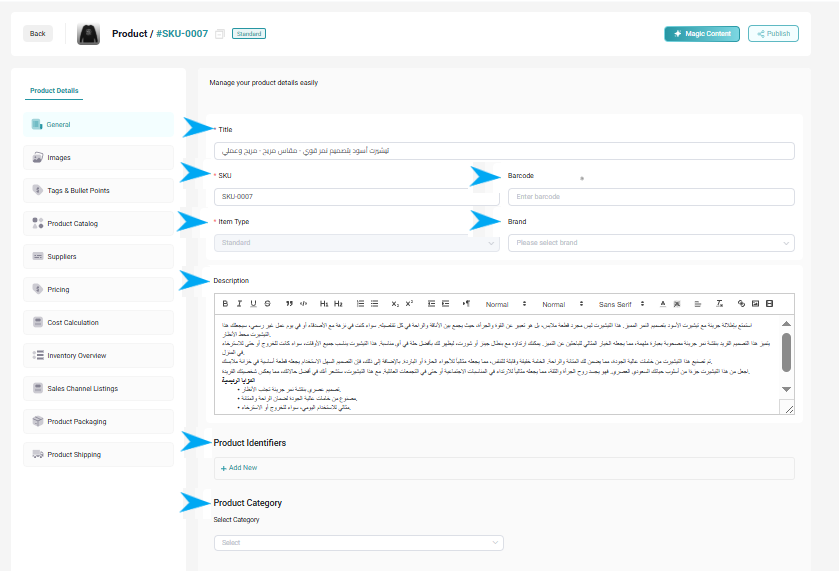
Additional product identifiers and category information can also be configured in this section.
Saving Your Changes
After making the necessary updates:
- Review the updated information.
- Save your changes from the available action buttons.
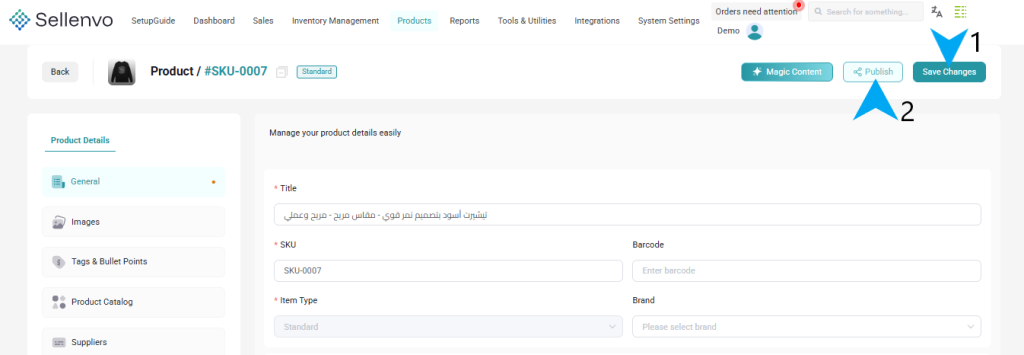
If the product is connected to sales channels, you can also use the Publish option to push updates to the associated channels.
By editing product details regularly, you can ensure that your product information remains accurate and consistent across your catalog and connected sales channels.