Deleting a product permanently removes it from the product catalog. Once deleted, the product and its associated data will no longer be available in the system.
Deleting a Product from the Product Catalog
To delete a product:
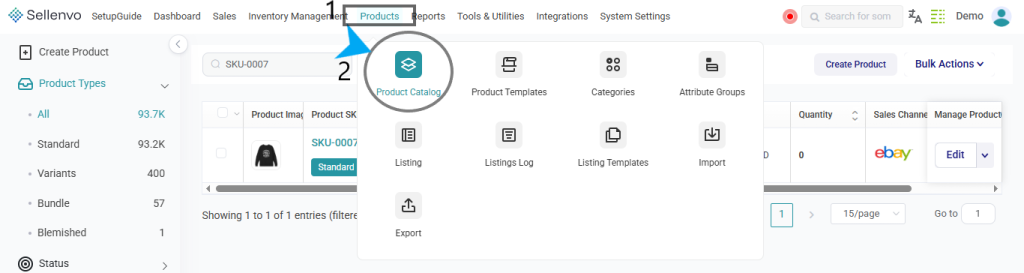
2.Open Product Catalog.

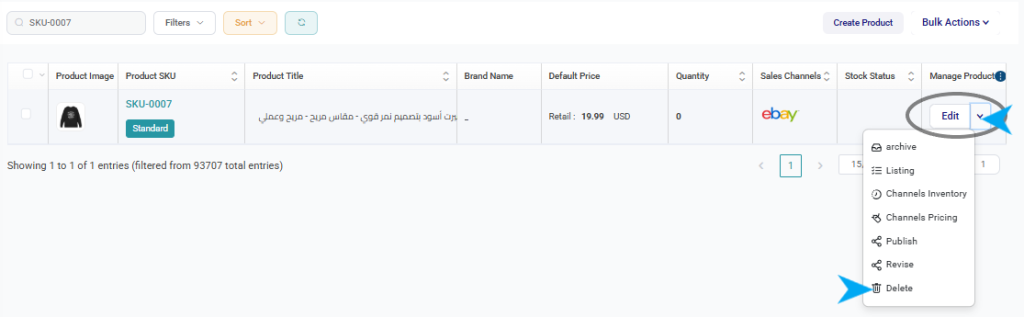
5.Select Delete.
Confirming the Delete Action
After selecting Delete, a confirmation message will appear.
The system will display the following warning:
“Are you sure you want to delete this product?”
You will have two options:
- Cancel – Stops the action and keeps the product in the catalog.
- OK – Confirms the deletion and permanently removes the product.
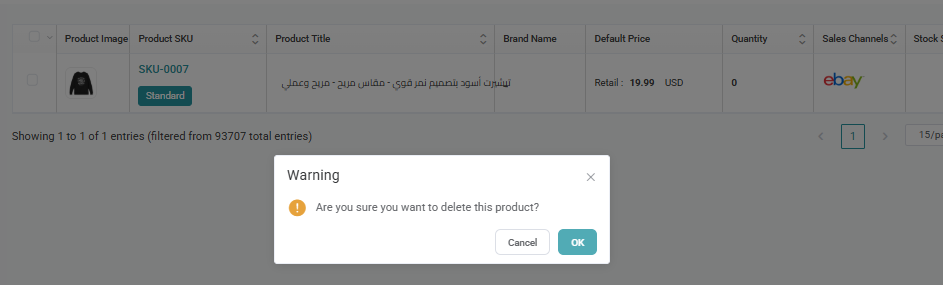
Once confirmed, the product will be deleted from the system.
Important Notes
Deleting a product is permanent and cannot be undone.If you only want to remove a product from active use while keeping its history, consider using the Archive option instead.